Archiving
After each FAWM challenge, the website goes into hibernation and is wiped clean for the next event. The Archive feature provides you with a "snapshot" of your FAWM activity so you can have a record of all your songs, comments, and conversations.
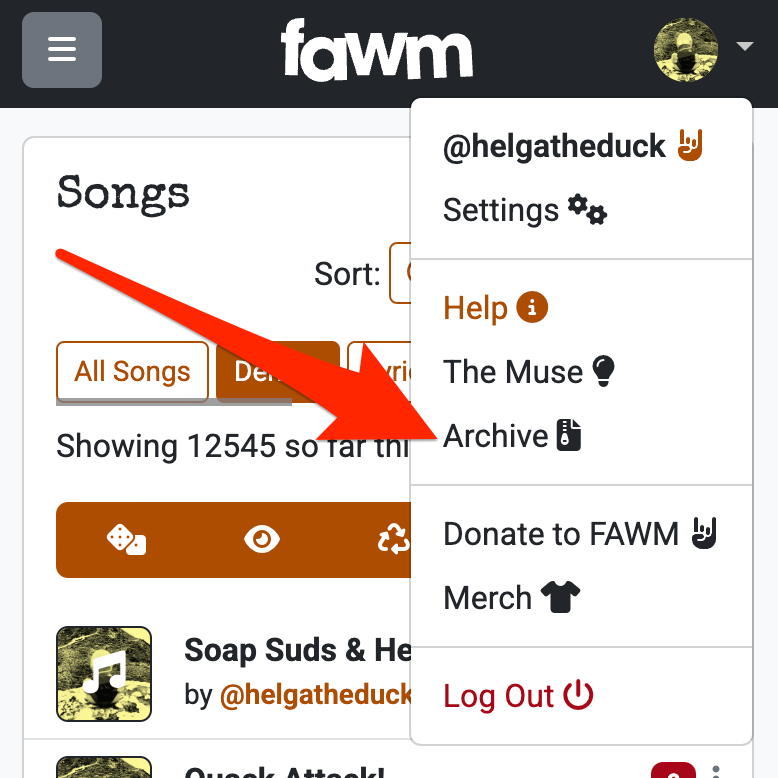
Find the Archive option in the menu at the top right, under your account avatar:
In modern web browsers, you should be able to:
- Save as Webpage/HTML (e.g., CTRL + S on PC or CMD + S on Mac)
- Print a paper copy (e.g., CTRL + P on PC or CMD + P on Mac)
- Save as PDF from the Print menu
Some fawmers update their archive file every few days or so during the challenge. Certainly once March arrives you will want to try and archive at least once before the site closes on March 15.
Once the site goes into hibernation for the year, you will not be able to access those comments and messages any more. They'll be gone forever!
Tip: Back up audio files separately!
The archive file created when you click Archive will NOT include any audio files (e.g., demos) for the songs themselves. You will need to make your own backups of these.
You should also remember that you need to create the archive yourself by clicking on the menu item. It will not be created or sent to you automatically.